Paste from any spreadsheet
Copy the name columns from your RSVP spreadsheet, Excel or Google Sheets, or upload a CSV. Groups such as Bride's family become tags, and empty seats can fill themselves.
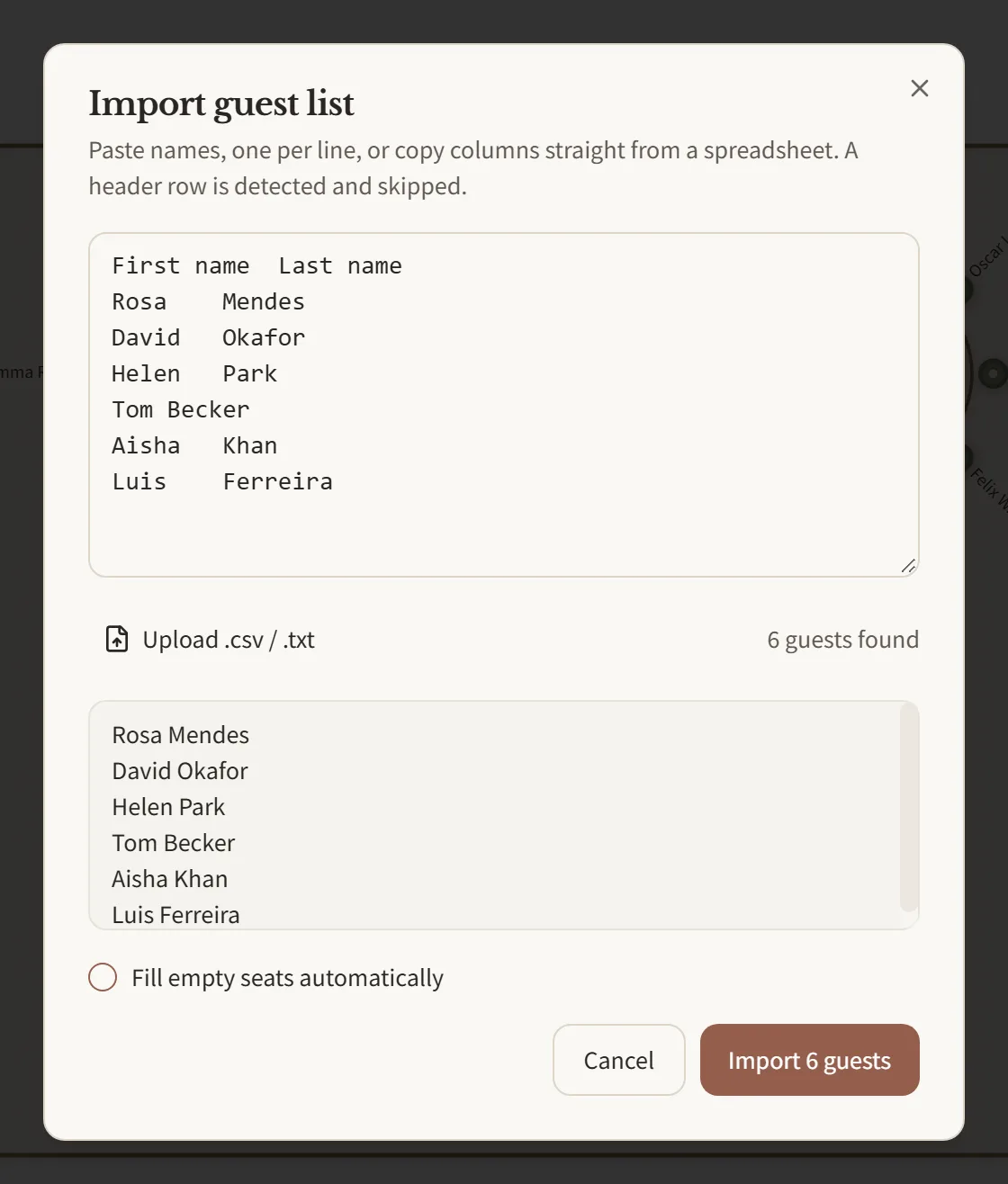
Paste your guest list, drag names onto tables, add a sweetheart or head table, then print the seating chart, table lists and an A–Z seat finder for the reception entrance. Free, no sign-up.
Free to plan, share and print. Event Pass $19, coming soon.
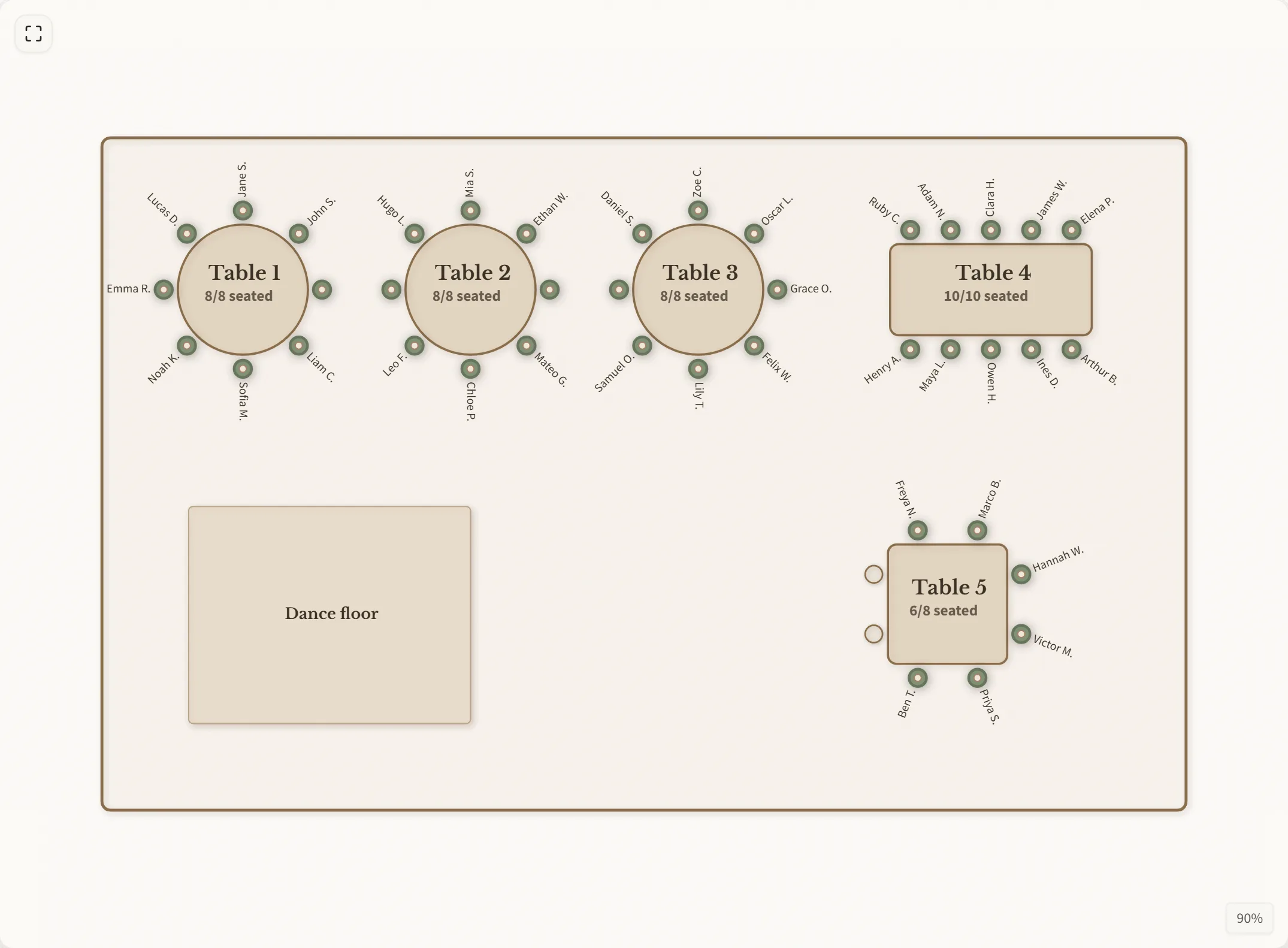
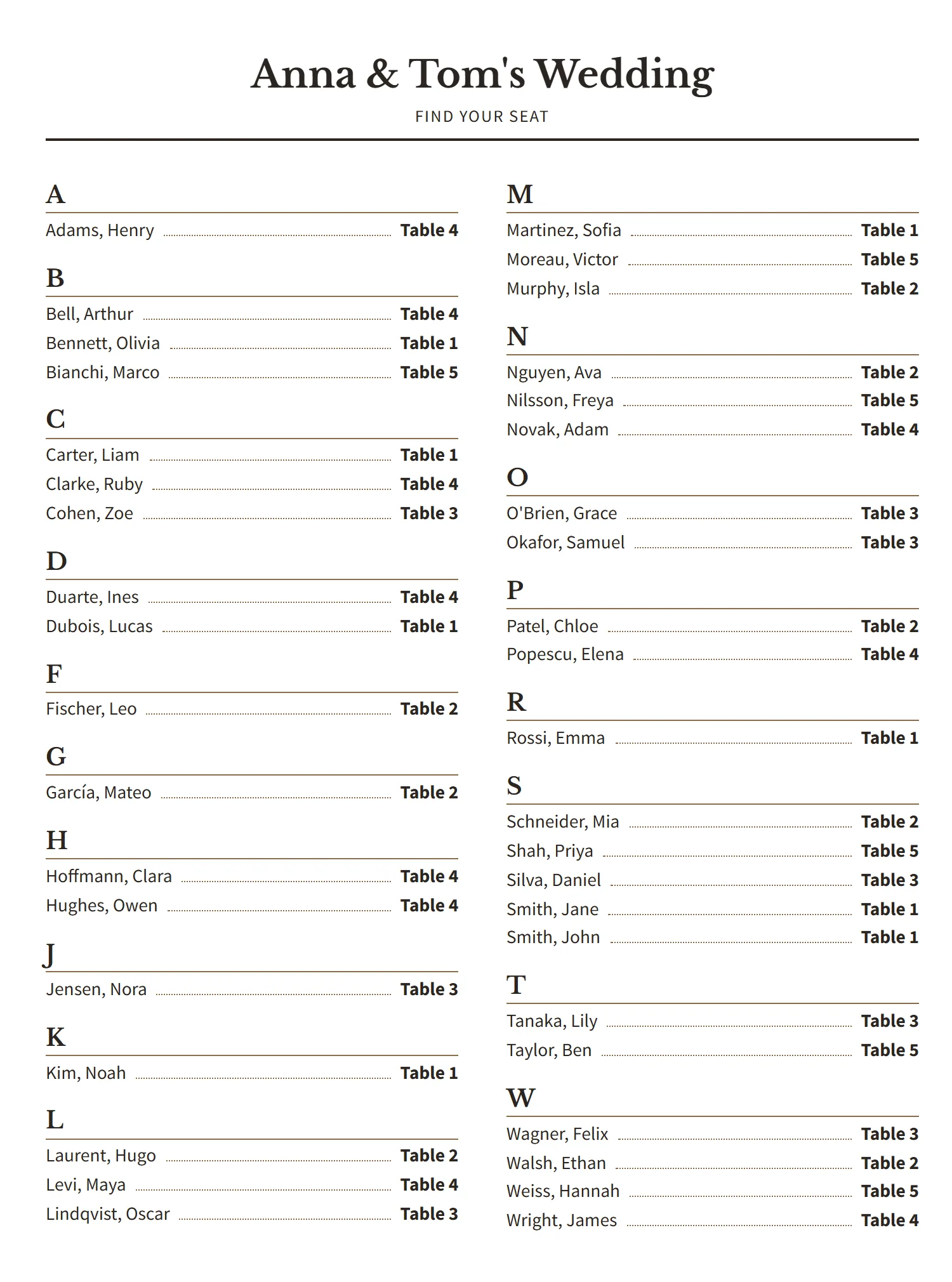
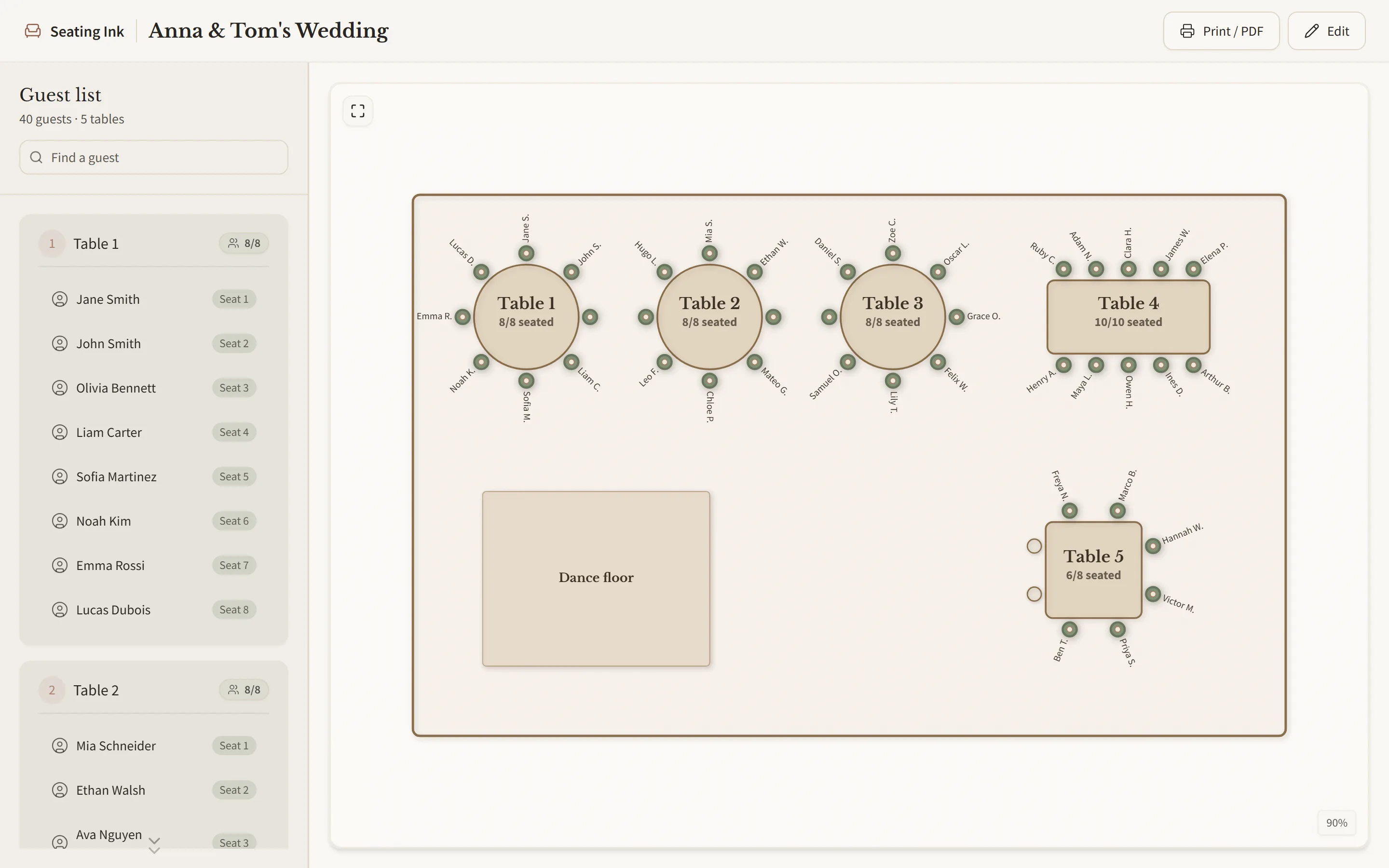
In short: Seating Ink is a free online wedding seating chart maker. Paste or upload your guest list, put the two of you at a sweetheart table or the wedding party at a head table, drag guests onto round or long tables, send a view-only link to both families, and print the seating chart, table lists and an A–Z seat finder for the entrance. No account and no email address. An optional $19 Event Pass, coming soon, adds a guest QR seat finder, a caterer meal report and prints without our name.
Most couples finish in one evening once the RSVPs are in, whether it is 60 guests or 250. Here is what that looks like.
Paste the guest list from your RSVPs2 min
Set up the reception room and tables5 min
Seat each family and friend group together1 hour
Send the view link to both families1 min
Move anyone who should not share a table10 min
Print the seating chart, table lists and seat finder1 min
A seating chart everyone can readone evening
Type or paste a few names from your guest list and watch them take their seats. The real planner does the same for every table at the reception.
One seating chart maker for the whole wedding: the reception, the rehearsal dinner and the welcome dinner. A sweetheart or head table, round tables of 8 or 10, or long family-style tables.
Copy the name columns from your RSVP spreadsheet, Excel or Google Sheets, or upload a CSV. Groups such as Bride's family become tags, and empty seats can fill themselves.
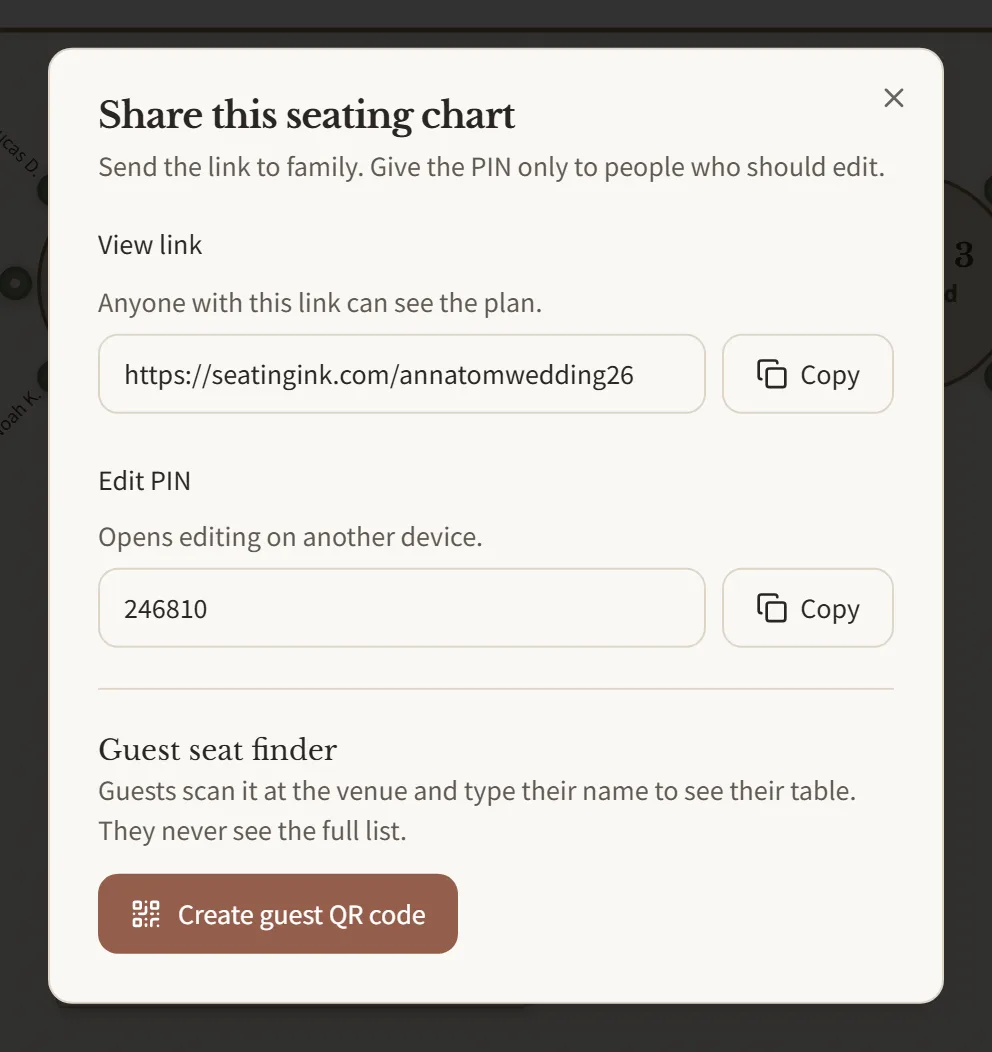
Send one link to your parents, the wedding party or your planner and they see the plan. Changing it takes a 6-digit PIN, so only the two of you decide who sits where.
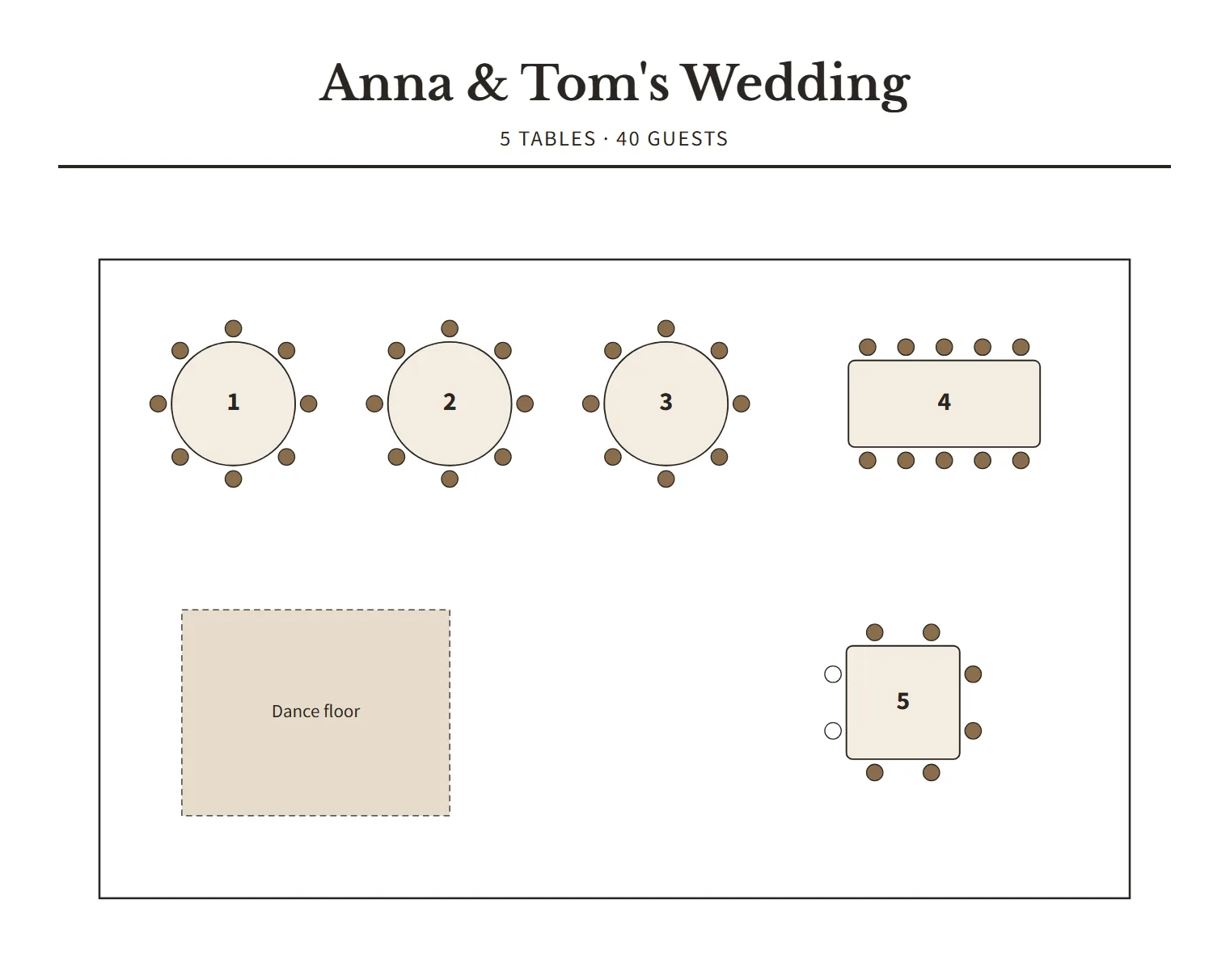
Print or save as PDF: a numbered floor plan for the caterer, one list per table and an A–Z seat finder for the welcome sign or escort card table.
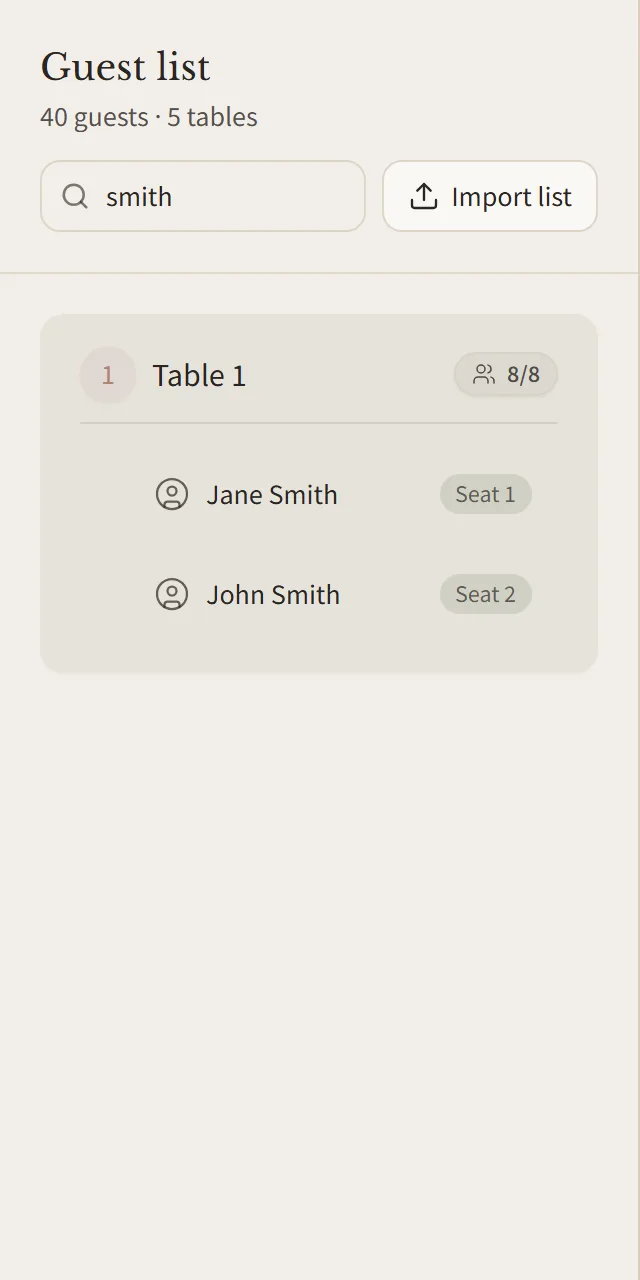
Search by first or last name, accents and all, when an aunt asks where she is sitting. Each table shows who sits there and how many seats are left.
No account, no subscription and no limit on guests or tables.
$0
$19 once per event, coming soon
Everything in Free, plus:
The Event Pass is not on sale yet. Until it is, the guest seat finder is free too and prints carry no credit line.
Is it only for weddings? No. It works for any seated event with tables, but this page is set up for weddings: sweetheart and head tables, family groups and printouts for the reception.
How do I make a wedding seating chart? Wait for the RSVP deadline, then open the sample wedding or start empty. Paste or upload your guest list, add a sweetheart or head table and the guest tables, then seat each family and friend group together. Share the view link with both families and print the chart once everyone agrees.
Is it free? Yes. Planning, sharing, printing and CSV export are free, with no limit on guests or tables. An optional $19 Event Pass, paid once per event, will add a guest QR seat finder, a caterer meal report and prints without our name. It is not on sale yet, so the seat finder is free for now.
Do I need an account? No. Your wedding seating chart lives at a private link and your browser remembers it, so you can come back to it every evening until the big day.
Which tables can I use? Round tables for 2 to 14, long banquet tables for 2 to 30 and square tables for 4 to 16, plus a sweetheart or head table for the couple.
How many guests can I add? There is no set limit on guests or tables.
Does it work with Excel? Yes, both ways. Paste the columns or upload a CSV, TSV or text file, and download the finished list with table and seat numbers as a CSV.
Who can see my chart? Anyone with its link can view it, so you can send it to your parents and the wedding party. Links are long random codes that cannot be guessed.
Can my partner or co-planner edit too? Share your edit PIN. They click Edit on the chart and type it in.
Can I make a PDF? Yes. Choose what to include, then pick “Save as PDF” in the print window.
Can guests find their table at the reception? Yes. Turn on the guest seat finder in the share window to get a QR code and a printable poster for the entrance or the escort card table. Guests scan it, type their name and see their table and seat. You can turn it off after the wedding.
Does it work on a phone? Viewing and printing do, so family can check the plan on their phones. Arranging tables is easiest on a computer.
What happens to the names? They are stored only to show your chart. See our privacy page.
Sweetheart table or head table? A sweetheart table seats only the two of you, so the wedding party can sit with their partners and friends. A head table puts the wedding party beside you, facing the room. Both are in the planner, and you can switch at any time. More in sweetheart table vs head table.
How many guests should sit at each table? Usually 8 at a 60-inch round table and 10 at a 72-inch round. The table calculator works out how many tables you need from your guest count.
Who sits closest to the couple? Parents and grandparents usually get the tables nearest the sweetheart or head table, followed by close family and the wedding party's partners. Keep older guests away from the speakers.
When should we make the seating chart? Start once the RSVP deadline has passed, usually three to four weeks before the wedding, and send the final table count to the caterer and venue about a week before.
Is there a printable wedding seating chart template? Yes. The wedding seating chart templates page has blank printable floor plans and an Excel guest list to download.
No account and no email address. It opens in your browser.